How Smart Photocopier Are Transforming 2026 Workflows
|
| From "prints, copies, scans" to a secure, measurable part of the modern workplace. |
| |
 |
| |
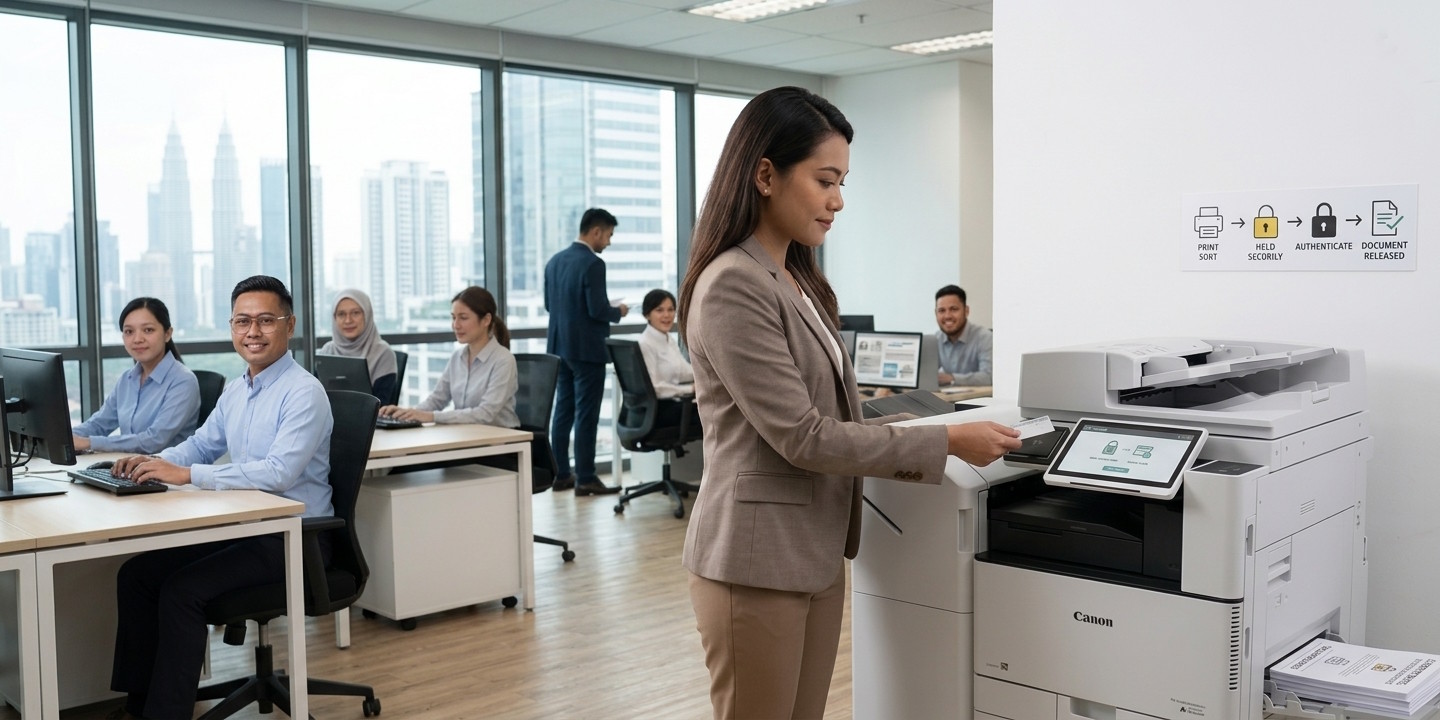
| Is your photocopier still just a machine that prints, copies and scans? In 2026, businesses are increasingly looking beyond the traditional multifunction printer (Photocopier). |
|
| |
Modern Photocopier can become part of a company's wider document workflow and print management system, helping organisations improve security, control printing costs, manage multiple devices and understand how their printing resources are being used.
With a Print Management System (PMS) such as PaperCut, uniFLOW or Dispatcher Paragon, an Photocopier can become more than an output device. It can become a controlled, secure and measurable part of the workplace. |
| |
| |
What Is a Smart Photocopier?
|
A Smart Photocopier is a multifunction printer that combines traditional printing, copying and scanning with connected software, security and workflow functions.
Instead of simply: |
| |
|
|
| |
| a Smart Photocopier can support: |
| |
| User Authentication → Secure Release → Print Management → Cost Tracking → Reporting → Fleet Management → Follow-Me Print |
|
| |
| This allows organisations to manage not only what their machines can do, but also who is using them, where they are printing and how resources are being consumed. The exact functions available depend on the photocopier model and the Print Management System implemented. |
| |
| |
What Is a Print Management System (PMS)?
|
| A Print Management System (PMS) is software that helps organisations control, monitor and manage printing across their network. Examples include: |
| |
- PaperCut
- Canon uniFLOW
- Dispatcher Paragon
|
| |
| Depending on the system and configuration, PMS can provide functions such as: |
| |
- User authentication
- Secure print release
- Cost tracking
- Print quotas
- Department or cost-centre tracking
|
|
- Reporting and analytics
- Fleet management
- Follow-Me Print
- Print-anywhere workflows
|
|
| |
| This can be particularly useful for organisations with multiple departments, multiple photocopier or multiple locations. |
| |
| |
Why Is Print Security Important?
|
Printing can create a security risk that is sometimes overlooked. Imagine an employee prints a confidential document and walks away from the printer — the document may sit in the output tray until someone else collects it.
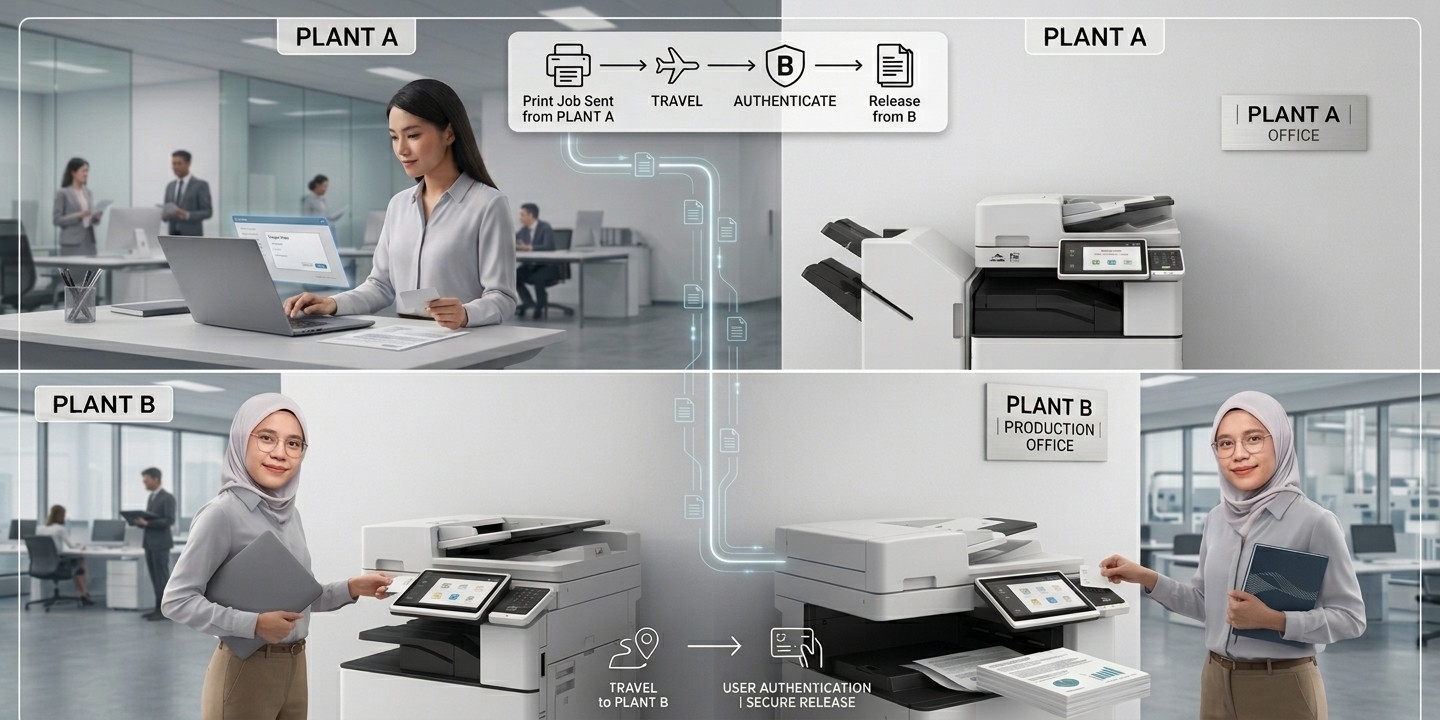
A Smart Photocopier with secure print release can help reduce this risk. Instead of immediately printing the document, the print job can be held securely until the authorised user releases it. |
| |
| Send Print Job → Print Job Held Securely → User Authenticates → User Releases Document → Document Is Printed |
|
| |
| This can help reduce the chance of sensitive documents being left unattended at a shared printer. |
| |
 |
| |
| |
How Does User Authentication Work on a Smart Photocopier?
|
| User authentication allows the system to identify who is using the photocopier before allowing certain functions or releasing print jobs. Depending on the system and photocopier configuration, users may authenticate using methods such as: |
| |
- PIN Code — the user enters a personal PIN at the photocopier
- Office Access Card — the user taps an employee ID or access card at the photocopier
- Student or Campus Card — for universities, existing cards may potentially be used depending on card technology and system compatibility
|
| |
| The concept is simple: your document follows you, not the other way around. |
|
| |
| |
What Is Follow-Me Print?
|
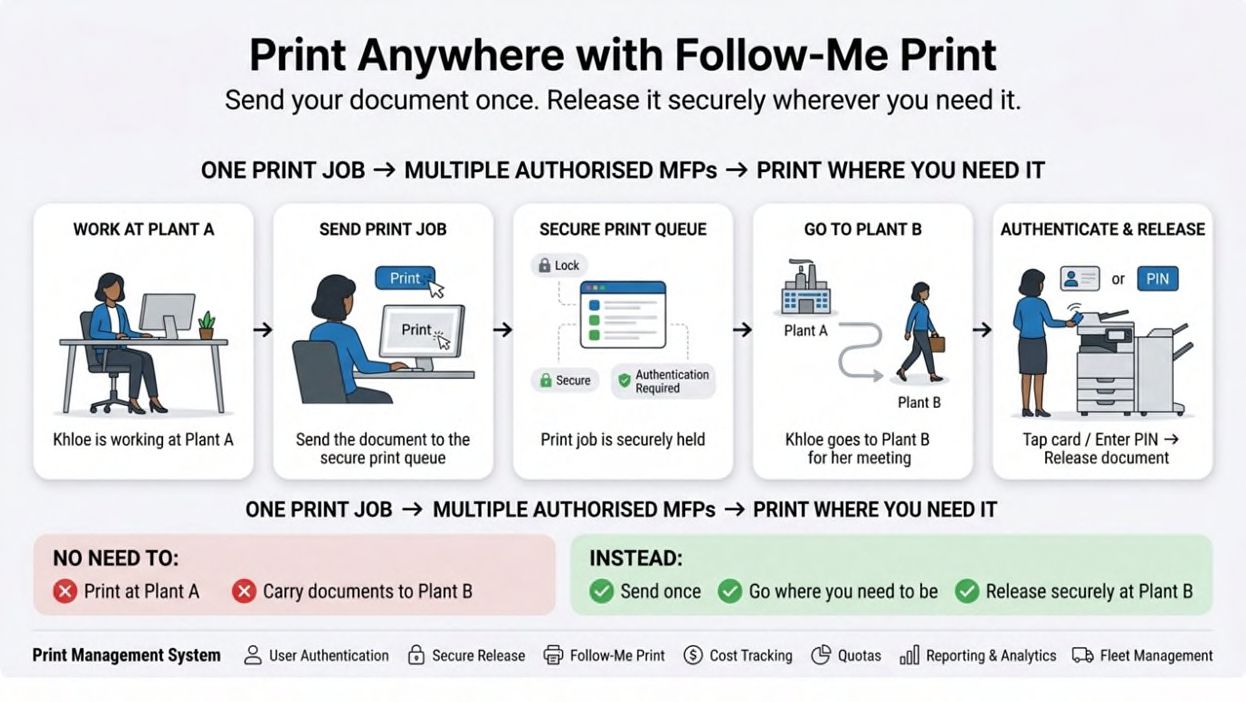
| Follow-Me Print allows users to send a print job without necessarily deciding in advance which photocopier will produce the document. The document is held securely within the print management environment, and the user can go to an authorised photocopier, authenticate and release it. |
| |
| Khloe works at Plant A. She needs to print meeting documents. Instead of printing everything at Plant A and carrying the documents to Plant B, she sends the print job through the company's print management system. |
| |
| Later, she travels to Plant B for a meeting. At Plant B, she authenticates herself at the photocopier and releases the documents there. |
| |
| No need to print at Plant A. No need to carry the printed documents between plants. |
|
| |
| This can make a significant difference for businesses with multiple buildings, plants, offices or campuses. |
| |
 |
| |
| |
Can I Print from Any Copier in the Office?
|
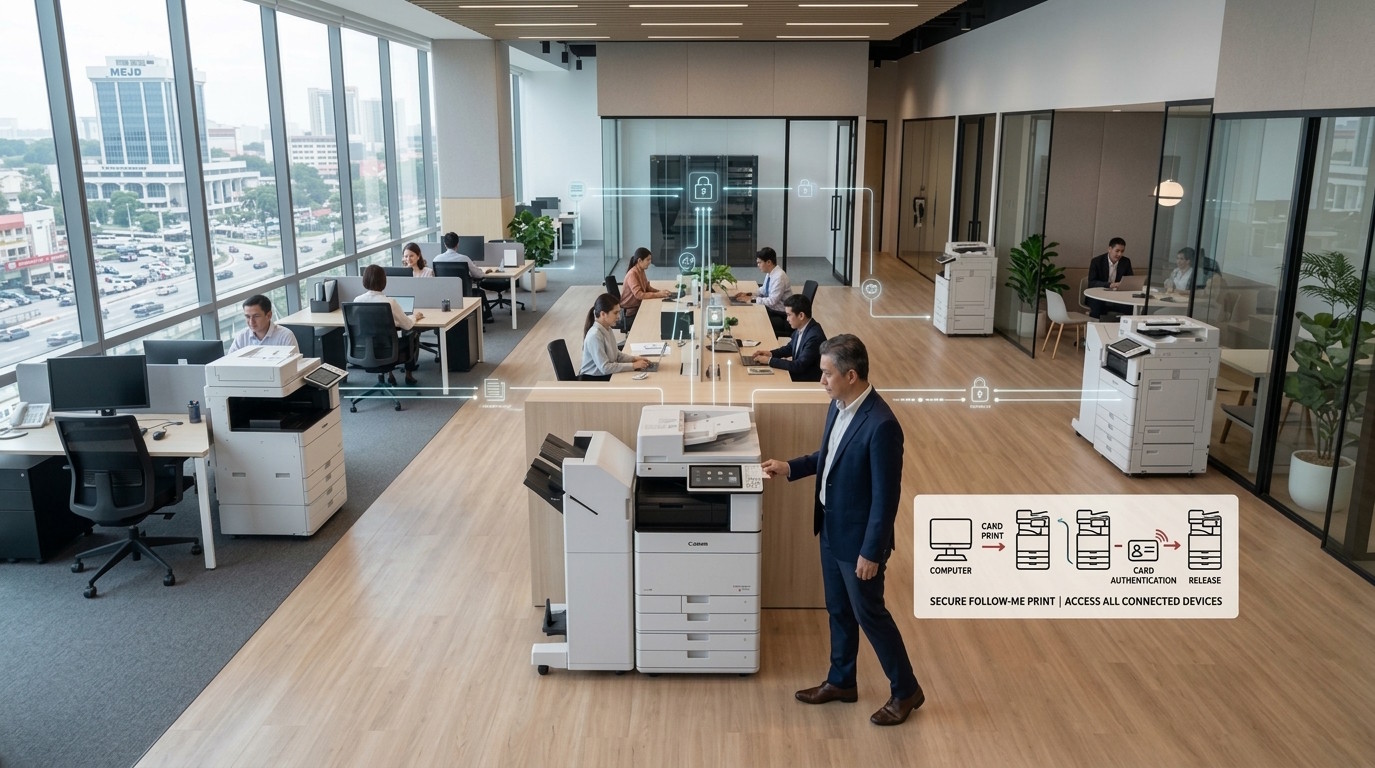
| With a properly configured Follow-Me Print or Print-Anywhere solution, users may be able to release their print jobs from different authorised photocopier within the organisation's printing environment. This is particularly useful when: |
 |
- Employees move between departments
- Offices have multiple photocopier
- Companies operate multiple buildings
- Manufacturing plants have separate locations
- Employees attend meetings at different sites
- Universities have multiple printing locations
|
|
| Instead of thinking "Where should I print this?" the user can think "Where do I need this document?" The exact print-anywhere capability depends on the PMS architecture, network environment and configuration. |
| |
 |
| |
| |
How Can a Print Management System Help Control Printing Costs?
|
| One of the biggest benefits of PMS is visibility. Without print management, organisations may know how much they spend on printers and photocopiers, but may not know: |
| |
- Which department prints the most
- Which users generate the highest volume
- How much colour printing is being used
- Which photocopier is used most frequently
- Where printing costs are increasing
- Whether printing quotas are being exceeded
|
| |
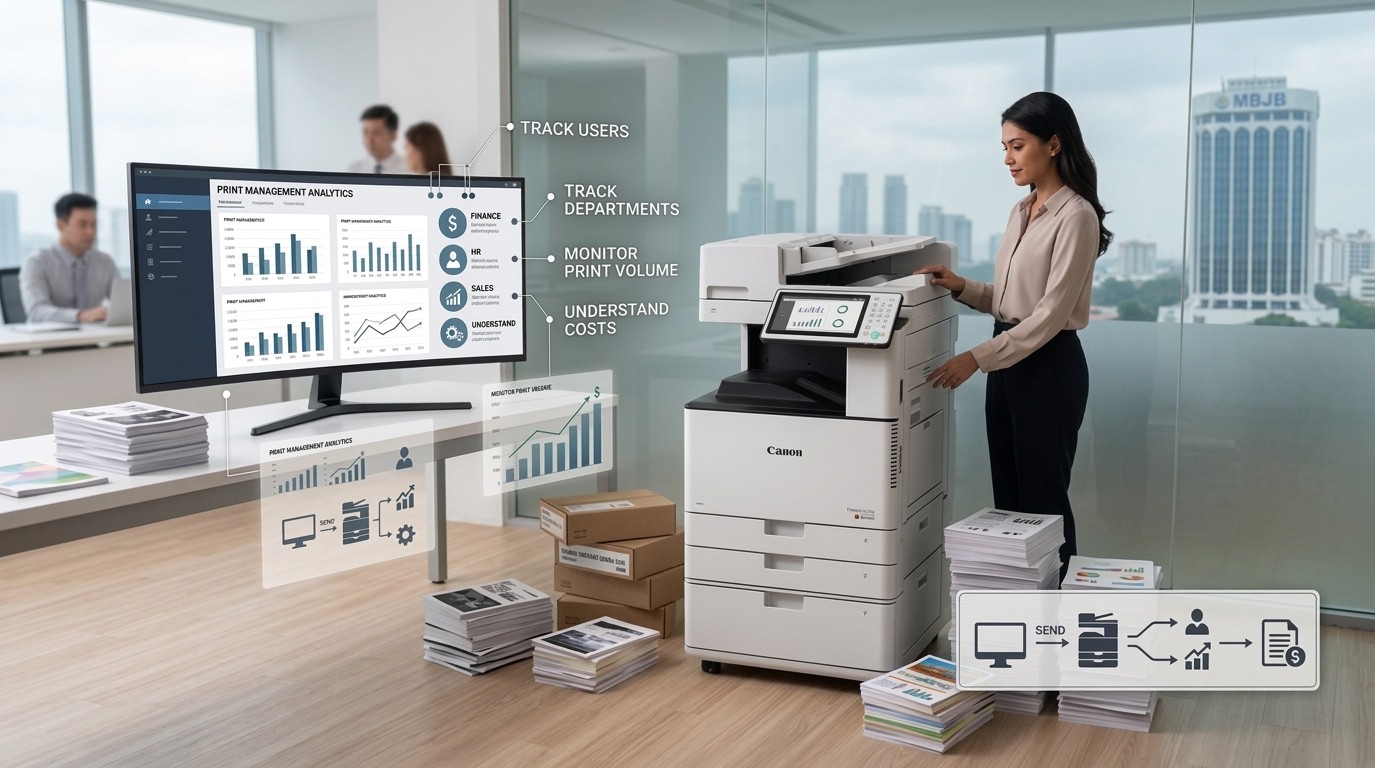
| PMS can help organisations track usage and allocate costs according to users, departments, projects or cost centres, depending on the system configuration — giving management better information for decisions about their printing environment. |
| |
| |
What Are Print Quotas?
|
| Print quotas allow an organisation to set limits on printing for specific users, departments or groups. For example: |
| |
| Group |
Monthly Quota |
| Department A |
5,000 pages |
| Department B |
3,000 pages |
| User C |
500 pages |
|
| |
| The actual configuration depends on the PMS and the organisation's policies. Quotas can help manage printing behaviour and reduce unnecessary printing — instead of simply telling employees "Please print less," management can introduce measurable policies and monitor actual usage. |
| |
 |
| |
How Does Cost Tracking Work?
|
| A Print Management System can help organisations track printing based on users, departments or cost centres. For example: |
| |
| Department |
B&W Prints |
Colour Prints |
Cost |
| Finance |
Usage tracked |
Usage tracked |
Allocated |
| HR |
Usage tracked |
Usage tracked |
Allocated |
| Sales |
Usage tracked |
Usage tracked |
Allocated |
| Operations |
Usage tracked |
Usage tracked |
Allocated |
|
| |
| This creates greater visibility into where printing resources are being consumed — particularly useful for companies with multiple departments or plants who want to understand the true cost of printing. |
| |
| |
Can Management See Who Is Printing?
|
| Depending on the PMS configuration, administrators can access reports showing printing activity by users, departments, devices and other categories, helping answer questions such as: |
| |
- Who is printing? How much is being printed?
- Which department is using the most?
- How much colour printing is being produced?
- Which device is being used most?
- Where are printing costs increasing?
|
| |
| Instead of managing printers based on assumptions, management can use actual usage data. |
| |
| |
What Is Fleet Management for Photocopiers?
|
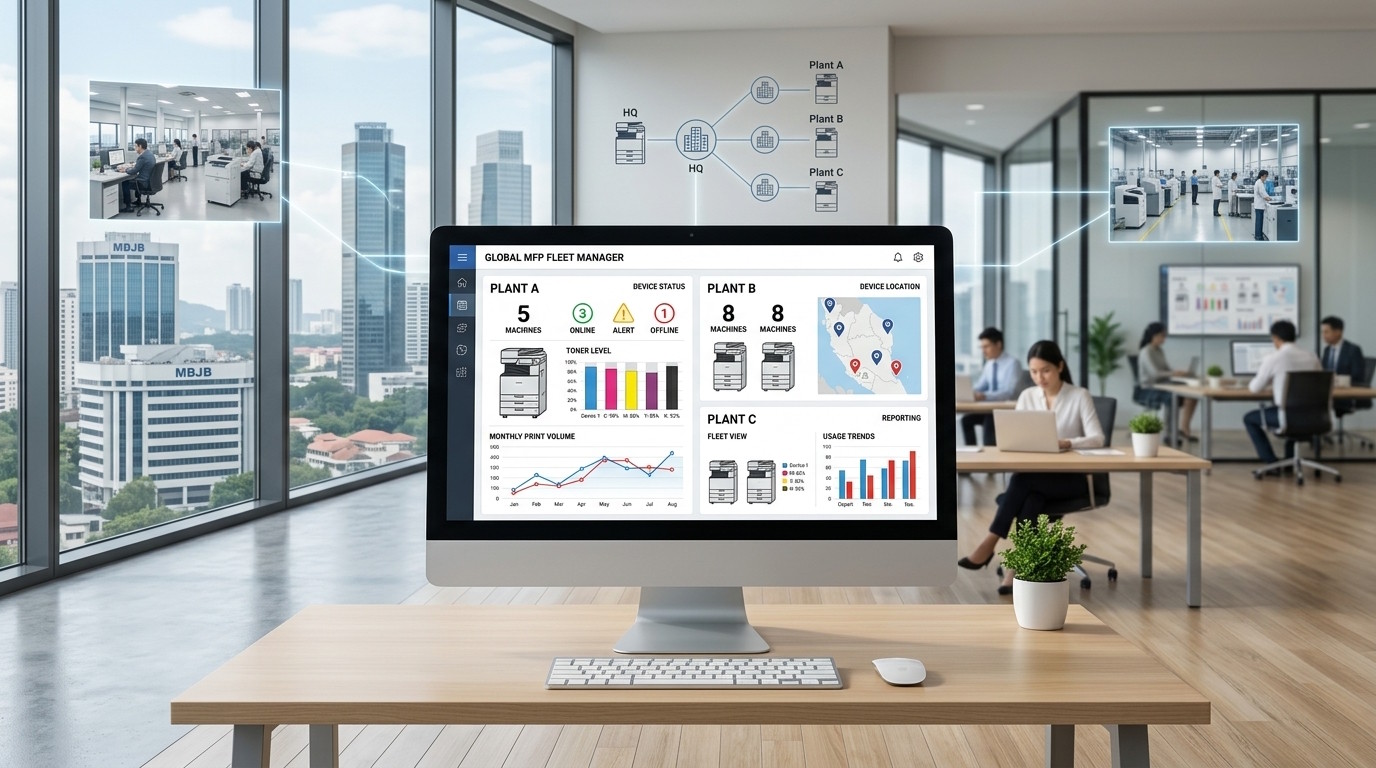
Fleet management becomes particularly useful when an organisation has multiple photocopier — imagine 10 photocopier in one building, or multiple photocopier across 3 plants. Managing each machine individually can become difficult; a fleet management approach provides a more centralised view of the printing environment.
Depending on the system, administrators may be able to monitor: |
| |
- Device status
- Usage
- Print volumes
- User activity
- Toner levels
- Device locations
- Printing trends
- Reports and analytics
|
| |
| This helps IT, administration and management understand the overall fleet rather than checking machines one by one. |
| |
 |
| |
| |
Real Customer Experience: Using Smart Photocopier Across Three Plants
|
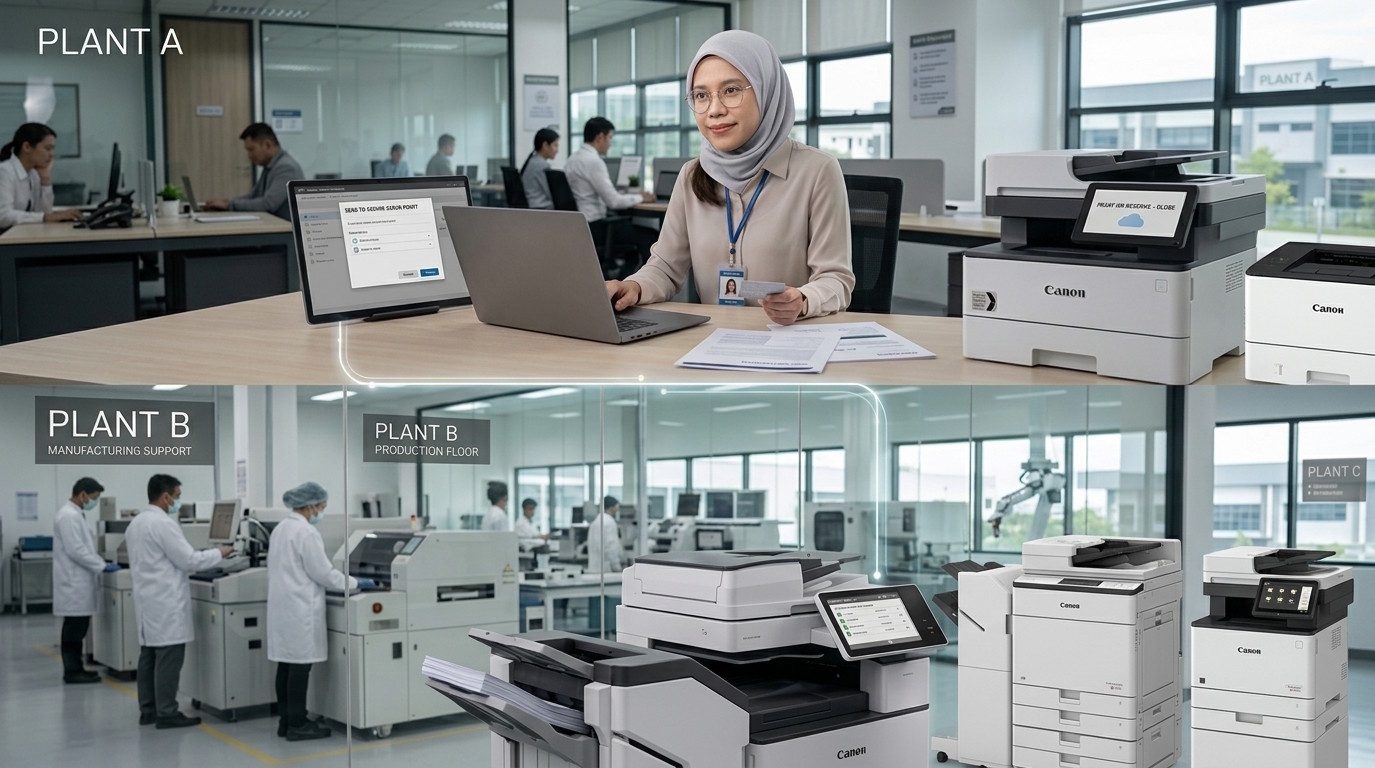
We currently serve a surgical supply company with multiple plants. One of their main objectives was to control printing costs and make printing more convenient across different locations. The company has three plants, with photocopier available at each.
Before implementing a print management workflow, employees may need to think about where they want their documents printed. But with Follow-Me Print, the workflow becomes much more flexible.
Instead of: |
| |
| Print at Plant A → Collect documents → Carry documents to Plant B |
|
| |
| an employee can: |
| |
| Send print job from Plant A → Travel to Plant B → Authenticate at the Photocopier → Release the documents |
|
| |
| The documents are available where she actually needs them — no need to physically carry printed documents from one location to another. |
| |
 |
| |
| |
What Did the Customer Gain From Print Management?
|
| For this customer, the goal was not simply to install "smart photocopiers." It was to improve how printing was managed across the organisation. The solution provided greater visibility into: |
| |
- Department Usage — understanding how much each department is printing
- Cost Control — printing activity monitored rather than estimated
- Print Anywhere — employees release documents at an authorised photocopier where they need them
- Follow-Me Print — no need to decide which physical machine will print at send-time
- Centralised Management — multiple photocopier across plants managed as one print environment
|
| |
| This is a good example of how the value of a Smart Photocopier goes beyond the hardware itself. |
| |
| |
Can Smart Photocopier Reduce Unnecessary Printing?
|
They can help organisations identify and manage unnecessary printing, although the actual reduction depends on user behaviour and the policies implemented. Features such as print quotas, user authentication, cost tracking, usage reporting, secure release and Follow-Me Print can encourage more controlled printing.
For example, a document sent to the printer but never collected may represent wasted paper and toner. With secure release, the document can remain in the print queue until the user authenticates and releases it — giving organisations more control over the printing process. |
| |
| |
What About Reporting and Analytics?
|
Depending on the PMS, administrators can generate reports covering total print volume, black-and-white vs colour printing, user activity, department usage, device usage, cost allocation, print trends, and quota usage.
Management can then use this information to identify trends and make decisions — for example: |
| |
"Plant A is printing significantly more than Plant B. Do we need another photocopier?"
"Department X has significantly higher colour printing. Is all of this colour printing necessary?" |
|
| |
| Instead of guessing, management can investigate based on actual usage information. |
| |
| |
How Do Smart Photocopier Improve the Modern Workplace?
|
| The modern office is no longer always a single office. Employees may work across different departments, multiple floors, multiple buildings, different plants, branch offices, campuses and meeting rooms. A Smart Photocopier with an appropriate Print Management System can support this more mobile working environment. |
| |
| Your work → Your print job → Your authentication → Your preferred photocopier |
|
| |
| This can create a more flexible document workflow. |
| |
| |
What Print Management Systems Does ATP Sales & Services Sdn Bhd Provide?
|
| At ATP Sales & Services Sdn Bhd, we work with several Print Management System solutions, including: |
| |
PaperCut
|
| A print management platform that can support functions such as user authentication, secure print release, cost tracking, quotas, reporting and print management. |
| |
Canon uniFLOW
|
| A Canon print and document management solution that can support secure printing, user authentication, cost control, reporting and document workflows. |
| |
Dispatcher Paragon
|
A print management solution that can provide features such as secure printing, accounting, user management, reporting and print control.
The most suitable solution depends on the customer's existing infrastructure, photocopier fleet, security requirements, user environment and workflow. |
| |
| |
Do I Need a Print Management System If I Only Have a Few Photocopier?
|
Not necessarily. The value of PMS depends on the organisation's requirements. Even a company with a smaller number of photocopier may benefit if it needs secure document release, user authentication, cost tracking, department reporting, print quotas, or better control over printing.
For organisations with many photocopier, multiple departments or multiple locations, the benefits can become even more significant because there is more equipment and usage to manage. |
| |
| |
What Should I Consider Before Implementing a Print Management System?
|
- Number of Photocopier — how many devices need to be managed?
- Number of Users — how many employees, students or users will access the devices?
- Locations — one office, multiple buildings, or multiple plants?
- Authentication — PINs, access cards, or another method?
- Cost Control — does management need department, project or cost-centre tracking?
- Security — are confidential documents being printed?
- Reporting — what information does management need to monitor?
- Existing IT Infrastructure — can the PMS integrate with the current network, directory and authentication environment?
|
| |
| These factors help determine which Print Management System and Photocopier configuration are appropriate. |
| |
| |
Smart Photocopier Are Becoming Part of the Workflow
|
| A modern photocopier is no longer just: |
| |
|
|
| |
| With the right Print Management System, it can become part of a wider workflow: |
| Authenticate → Print Securely → Release Anywhere → Track Usage → Control Costs → Analyse Data → Manage the Fleet |
|
| |
| The technology is not simply about making printing faster. It is about making printing more secure, more measurable and more manageable. |
| |
| |
Frequently Asked Questions About Smart Photocopier and Print Management
|
| What is a Smart Photocopier? |
|
| A Smart Photocopier is a multifunction printer that combines printing, copying and scanning with connected software, security, workflow and management features. |
|
| |
| What is a Print Management System? |
|
| A Print Management System is software that helps organisations manage, control and monitor printing activity across users, departments and devices. |
|
| |
| Follow-Me Print allows users to send a print job and release it securely from an authorised photocopier when they are ready, rather than being tied to a specific physical printer. |
|
| |
| Can I print from another photocopier in the same office? |
|
| With a properly configured Follow-Me Print or Print-Anywhere solution, users may be able to release their print jobs from different authorised photocopier. |
|
| |
| Can employees use an access card to release printing? |
|
| Depending on the Photocopier and PMS configuration, users may be able to authenticate using office access cards or other compatible cards. |
|
| |
| Can students use their student cards to print? |
|
| Potentially, yes. Depending on the card technology, Photocopier and PMS configuration, student or campus cards may be used for authentication and print release. |
|
| |
| Can Print Management track printing by department? |
|
| Yes. Depending on the PMS configuration, printing can be tracked by users, departments, cost centres and other categories. |
|
| |
| Can Print Management help control printing costs? |
|
| Yes. Features such as cost tracking, quotas, reporting and user authentication can help organisations monitor and manage printing expenditure. |
|
| |
| Can multiple photocopiers be managed together? |
|
| Yes. Fleet management functions can provide administrators with a more centralised view of multiple photocopier, depending on the PMS and configuration. |
|
| |
| Which Print Management Systems does ATP Sales & Services Sdn Bhd support? |
|
| ATP Sales & Services Sdn Bhd works with PaperCut, Canon uniFLOW and Dispatcher Paragon, with the most suitable solution depending on the customer's photocopier environment, IT infrastructure, security requirements and workflow. |
|
|
| |
The Future of Printing Is Not Just About the Printer
|
| The modern workplace needs more than a machine that produces paper. Businesses need to know: who is printing, what they're printing, where, how much, how much it costs, whether the document is secure — and increasingly, whether the employee can print where they actually need the document. |
|
| With Smart Photocopier and Print Management Systems, organisations can move from simply having photocopiers to actively managing their print environment. |
|
| At ATP Sales & Services Sdn Bhd, we help businesses look beyond the machine and consider the complete workflow — from user authentication and secure release to cost tracking, reporting, fleet management and Follow-Me Print. |
|
| Because the smartest photocopier isn't necessarily the one with the most features. It's the one that makes your organisation's workflow smarter. |
|